Getting Started with a Cheap Android Tablet

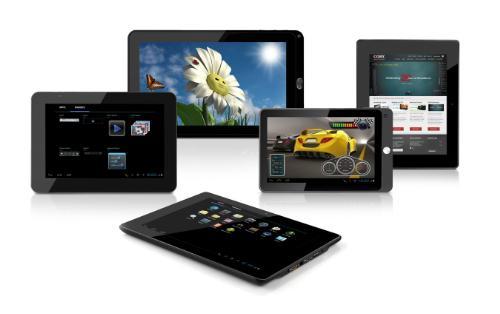
 So you’ve just gotten a tablet. This post is a collection of problems I’ve had with cheap Android and questions I’ve been asked.
I originally wrote this post back when Android tablets shipped with almost no apps. The situation has improved somewhat so this post isn’t as useful as it used to be. As always, any suggestions on topics to include would be appreciated.
First things first. Go set the time and date. If they’re set wrong then this will cause a bunch of problems. For example, you won’t be able access your Gmail from the tablet. I know that doesn’t make much sense, but it’s true.
Next, calibrate the touchscreen. Hopefully your tablet will prompt you to calibrate the screen when you start it for the firs time. If it doesn’t you’ll need to do look under the settings for the calibration option. Check your manual; the option is in different places in different versions of Android.
Don’t forget to set up the Wifi. I bet that you’ve already done this, but I’m putting it on the list just in case.
Installing Apps
There are 4 ways to install apps: downloading from a website, through an app store, email it to yourself, and install it from an SD card. The first 3 are relatively straight forward, but there’s a problem with the last one.
It isn’t as simple as you might think. Would you be surprised to find out that some a lot of Android tablets don’t ship with a file manager? Well, then you’re going to be shocked to discover that some file managers can’t see the APK install files (I’m not kidding, either).
You’ll need to check under the apps menu and make sure that you have a file manager. Otherwise you won’t be able to install the apps downloaded to your SD card.
Here’s the file manager I like, and it works with most versions of Android:
http://www.estrongs.com/en/download.html
You can install this file by emailing the link to your tablet so you can open your tablet’s web browser and visit that page.
Finding apps
Some developers host a copy of their app on their website, but not very many. (Adobe started doing it recently, though.) I always check a developer’s website, just in case.
If you’re one of the tablet owners who have access to the Android Market, I hate you (kidding). Chances are you might not have the official Marketplace, and you might not have any market app installed at all. Here are my 3 favorite places for finding apps:
- Amazon Appstore – Amazon launched this store last fall, and it’s beginning to gain wide acceptance.
- Slideme – This is a legitimate app store with both paid and free apps. It even has its own app for you to install on your tablet.
- 1Mobile – This is a not entirely legitimate source for apps, but it does not pirate paid apps (so far as I know).
Starter Apps
I already pointed you at a file manager and I know that you’ll want other apps. Here’s a list of apps that you’ll probably want.
- web browser
- reading apps
- Youtube
- Adobe Reader (here are some other PDF readers)
- Spare Parts (You should get this one, and here’s why)
- ADW Launcher
- Advanced Task Killer
Comments
Post-Christmas eBook Survival Guide « Mike Cane's xBlog December 26, 2010 um 11:39 am
[…] and PDFs Getting started with an Android tablet How to read a PDF on an Android tablet Google Books PDF Smackdown: NookColor Vs. Samsung Galaxy Tab […]
Unknown January 2, 2011 um 8:21 pm
WHERE do u put the app file do you put in in a specific folder or not
Nate the great January 2, 2011 um 8:25 pm
You can put them anywhere on the SD card and ES File Explorer should be able to find it.
Cindy February 29, 2016 um 8:07 pm
You don’t understand I can’t go to any other screen.I can’t do anything.Every time i hit a button it just tells me what it is.I’m on app. permission management and can’t go anywhere else
Unknown January 2, 2011 um 8:29 pm
Ok but like I am supposed to download it to the SD card but it wont show up so i need help like what does the file s10 need to open with(it says open with blah blah blah)
Nate the great January 2, 2011 um 9:02 pm
I have no idea what you’re asking.
How the hell do you expect me to help you when you can’t even ask a coherent question?
thecraze January 4, 2011 um 7:31 am
Ha!
Andrew January 7, 2011 um 8:34 pm
I understand the need to install es file explorer to be able to install the apps. Problem is how do I get es file explorer installed? All I can do is download it. Any help would be great. thanks,.
Nate the great January 7, 2011 um 9:41 pm
You can email it to yourself, and then open the email on the tablet. You should be able to click on the attached apk and install it.
Or you could download it direct to the tablet and then pull down the taskbar and click on it to install it.
Sherrie January 9, 2011 um 12:57 am
Nate – I’m having the same problem as Andrew.
I emailed the apk files to myself, opened the email and I have the option to open or save the file. No matter which I choose I get "Unsupported Format"
I opened the browser and downloaded to the tablet but, while there is the the download icon on the taskbar while it is downloading, once it is downloaded I pull down the taskbar and there is nothing there.
Thank you
Nate the great January 9, 2011 um 5:55 am
This is weird. It worked for me.
Sherrie January 9, 2011 um 11:08 am
Got it. Used the file://sdcard/*filename.apk
command in the web browser. I can now load apps on the sdcard and use the file installer to get them installed on the tablet
Thank you so much!
Sherrie January 9, 2011 um 12:57 pm
I don’t know what happened but I suddenly have Market Access!!!
Now to work on memory management.
How to hack your (white) Novel – the easy way | The Digital Reader January 18, 2011 um 6:24 pm
[…] bother because I don’t think it’s worth the effort. You might want to read this […]
Jim February 9, 2011 um 8:10 pm
Is there a way to install Flash Player on the pandigital novel? Every version I’ve tried, I get the "cannot open this app" error message.
Beginner’s guides updated | The Digital Reader May 29, 2011 um 7:40 pm
[…] Getting started on an Android tablet post was only slightly out of date. I added a couple sentences referencing Amazon Appstore, but […]
REY June 10, 2011 um 1:33 am
can you help me set up the email this is my 2nd pandigital and again i get the unable to open connection to server message any help would be appreciated
Shannon June 17, 2011 um 11:53 pm
Just got a brand new Android Tablet and the battery has been charged (green light on) but nothing comes up on the screen. Stays blank.
Nate Hoffelder June 18, 2011 um 7:50 am
Press and hold the power button. If nothing happens then it is probably a dud.
william newton July 12, 2011 um 10:18 pm
You people that write this stuff give me hope for today and the future. Thanks just bought a white novel with a 4 gb card ,whats your advice,,, leave alone or hack it,, my first computer and iam 70 years old and was last in my class. What is the over all finish product,,sure is fun just the way it is, sure i want it to do more,,can it take me to the moonnnnnnnnnnnnnnnnnnnnn thanks again.
Q: Will my ebook reader die with Borders? – The Digital Reader August 2, 2011 um 9:18 pm
[…] and shop in those other ebookstores. But it will take some jumping through hoops to get the apps. Click here and read the section about finding and installing […]
Kat September 28, 2011 um 12:53 pm
Your page is so helpful! I’m wondering if you can help me out? I just received my android tablet last week and am having THE WORST problems with it. The biggest issue is it will not download ANYTHING. I followed all of your above steps, when I attempt to download anything from the market it says Download was unsucessful, Please try again. No matter how many times I try, it will not work. Any suggestions?
Thanks in advance 🙂
Kat
Ruby January 28, 2013 um 8:36 pm
I am having the same problem. I think I have a bad router. I bought another one today, but haven"t installed it yet. I will get back to you when I do. I am having problem with my pc and all of my other devices too. So I hope the new router will fix them all.
Gene October 12, 2011 um 10:01 pm
Hi, Nate
Idownloaded Amazon Appstore but when tried to install – got "Application not sintalled", "App could not be installed on this phone". Did it 3 times – same result. Any ideas?
Nate Hoffelder October 12, 2011 um 10:50 pm
What’s the tablet, and what version of Android is it running?
The most likely cause is that the tablet is running a version of Android that it too old for the app.
Tablet Gift Guide – 2012 Edition – The Digital Reader November 29, 2011 um 12:54 pm
[…] BTW, last year I wrote a post much like this one, and I think we’re at the point where that post might be more useful to you. It has a number of tips on prepping a tablet that I didn’t want to repeat here. It also covers some of the same points in a more general way. You can find it here. […]
james kent December 16, 2011 um 6:11 pm
I just got an android tablet, "superpadIII" I have have set it up to the best of may ablity and no i am trying to download apps from the android market with no success. The tablet keeps telling me that there is no android device associated with this account. I did get pandora to download, but it wont work. Help!
James
Nate Hoffelder December 16, 2011 um 6:16 pm
It sounds like you will first need to install the Android Market on the tablet. If it’s already there then you need to visit the Android Market from the tablet and set up an account. That way the AM will know about your tablet.
How I turned my Kindle Fire HD from a cash register and billboard into a good machine for an e-book lover | LibraryCity September 16, 2012 um 9:19 am
[…] notes Nate Hoeffelder of The Digital Reader. For somewhat related tips for app newbies, go here and here. I’ll welcome other relevant […]
Daniel Young December 21, 2012 um 1:30 am
Ever hear of the Visual Land Prestige 10 (Vl-110)? When I bought it I thought it was just being introduced but it seems from their site (visual-land.com) it is one of many. I was drawn to it cause of two MP3’s I bought of theirs and liked. Anyway I yanked the mounted SD card without unmounting it and now can’t take pictures or videos and oddly it also affected my ability to down load anything. Any thoughts? I tried doing factory reset without any luck! I haven’t found any other affected aps.
I understand that even though it runs Android 4.0 it is not compatible with google aps! It has an ARM cortex AB processor. So far tech support has been to slow with to little in assistance. Wish I knew who did their manufacture.
6677 December 23, 2012 um 6:44 pm
I think you will find its a cortex A8 not AB. I have heard of it. If you had read the article properly you will see that you can get apps without the google market app (which can be installed yourself).
The issue with the SD card is very common on mac and Linux. Android being based on Linux has inherited it. Turn off the tablet completely. Remove the battery for 10 seconds. Reinsert the SD and the battery. Turn on again. It should now work, you may have to search for a mount button in settings.
If that doesn’t work the look for an SD USB adaptor and connect it to a Windows PC, not OSX or Linux. It should pop up letting you access the files. Go into my computer, right click the SD card, eject. Then try the above process again.
The issue is to do with the mount/unmount status of an SD or flash drive being stored on the Sd rather than the tablet itself somewhat oddly. Then when you connect the SD to something else that something else thinks the device is being used already and tends to ignore it.
april December 29, 2012 um 6:59 pm
I have an android tablet that i already have google play on it and wifi is ready. Every tome i hit "download" on the app, it says "eror retrieving information from server" i need help
wullie1903 January 5, 2013 um 11:45 am
I’m running an android tabletusing 4.0 but when trying to download apps from google play store it keeps giving me error message. Any ideas?
Nate Hoffelder January 5, 2013 um 12:00 pm
Not without knowing what the error message said, no.
In any case, you’re probably better off Googling the text of the error message. If you posted the text here I would google it and then offer a solution.
Noel Brown May 23, 2013 um 5:36 am
I purchased a Cortex Android RoboDiary 153 for a family member who now does not require
this. I was wanting to have another family member use but we have forgotten/lost codes and screen is frozen "too many pattern attempts". Could you please advise how does one
have this cleared to enable someone else to use.
Thomas May 23, 2013 um 11:43 am
If you can’t remember the pattern, after a few attempts it should ask you for your gmail address and password. If you can’t remember that. all you can do is a "factory reset", which will wipe out anything in storage. How to do this varies by tablet, but usually holding the power and volume down buttons down for a few seconds will do it. If you don’t have a volume down button, try holding down your reset button for 20-30 seconds.
Noel Brown June 9, 2013 um 5:35 pm
Thankyou Thomas, helpful information. The only issue I have now is all instructions are now in factory language (chinese?) and I cannot read to determine how to change to english. Working on it; any suggestions.
Nate Hoffelder June 9, 2013 um 5:46 pm
The location of the language settings menu varies between different versions of Android. You’ll need to Google your version.
Noel Brown June 9, 2013 um 7:39 pm
Thankyou Nate. Have tried Google without success. It talks about a manual which we did not get but I recall there is one on line which of course I can’t access at present. Any suggestions. Cortex android 4.0 robodiary153
Nate Hoffelder June 9, 2013 um 8:22 pm
I didn’t know which version fo Android you had, but Android 4.0 I can help you with.
http://im.tech2.in.com/gallery/2012/may/micromax_p300_settings_021653459917_640x360.jpg
Look at this screen shot. Do you see the A in the white square? Look for something like that on the Setting menu on your tablet. It is very likely that your tablet will show that same symbol.
Once you are in that menu keep picking different options until the language changes to English.
Peter May 30, 2013 um 9:11 pm
Hi,
I have a brand new android tablet – rob diary 153 – some how it has got stuck with a message "android" on the screen and it won’t move.
If anyone has any ideas or this has happen to them please, please share.
Thanks so much in advance
Peter
Nate Hoffelder May 30, 2013 um 9:52 pm
It sounds like your tablet is stuck during the boot cycle. Press and hold the power button to turn it off. Then turn it on again.
If the tablet gets stuck again then it needs to be returned.
juelynnt May 31, 2013 um 1:17 pm
I cant open my browser. I’m connected but the login security page of my router dont pop up… It gives me the message that it cant open and nothing opens…
Have any idea?
Hi I'm so lost the more i read the more lost I am September 25, 2013 um 11:02 pm
I haven’t used my white pandigital ereader much but now trying to learn it cause I want to use it. Well one day I turned it on while pandigital’s site was still up and got instructions on how to add an update..I had to change the clock back on my ereader to do it…ok i did and I have nowhere on my screen access to android market..SAM which was on there at one time is gone. I have tried and tried to install a few things now reading various sites/pages a few times and I don’t know what on earth i’m doing wrong. thinking to connect it to my computer and see if it will fix itself LOL..my version I have right now hasn’t been mentioned yet and the date on it is: build is 2/18/11….the #’s between the common writing under firmware is: 20110218…what should I have? is this page still active? not sure but i’m lost. any help is appreciated ty
Gaurav December 12, 2013 um 5:15 am
How to setup wifi after installing a new rom… i don’t allow me to turn wifi on..it goes off automatically plz tell me how to setup wifi ! its my humble request plz
Nate Hoffelder December 12, 2013 um 7:20 am
First, reboot your tablet and try again.
If that doesn’t help then I would say that the ROM is misconfigured or was corrupted on install. I don’t know how to fix it, sorry.
Getting Started with Android – a Roundup – The Digital Reader December 23, 2013 um 9:59 am
[…] Getting Start With an Android Tablet […]
5 Apps You Should Install on Your New Budget Android Tablets – The Digital Reader December 23, 2013 um 10:31 am
[…] Getting Start With an Android Tablet (2010) […]
Angel February 6, 2014 um 12:37 am
Hello my name is Angel i just got the Maxwell tab and the problem is that the volume 10 work at all like it’s mute but it’s no apparent problem.
cloud cuckoo March 30, 2014 um 9:58 pm
hey i just got an tablet for christmas and if i turn it off a couple time i keep having to factory reset the whole thing! can you help? THANKS!!!!!
P.S. i was told it was pretty cheap
Nate Hoffelder March 31, 2014 um 7:40 am
Not uness you give me more info. Why do you have to reset it?
cloud cuckoo March 31, 2014 um 6:32 pm
it will not completely turn on when it turns on normally it will say android for about 5 mins but if you do what i just said it will do it forever i have waited a full day for it
Nate Hoffelder March 31, 2014 um 10:53 pm
It sounds like either the firmware is corrupted (or the Flash it’s sitting on).
cloud cuckoo April 1, 2014 um 10:23 am
no because it was doing this right when i got it and i’m not using flash
Nate Hoffelder April 1, 2014 um 10:35 am
If this issue was present from the first day then you definitely have a manufacturing defect.
cloud cuckoo April 1, 2014 um 8:47 pm
so ow can i fix this?
Nate Hoffelder April 1, 2014 um 8:49 pm
Return the tablet.
cloud cuckoo April 1, 2014 um 8:52 pm
any other way? my sis has the same tablet same problem
Nate Hoffelder April 1, 2014 um 9:54 pm
You bought poor quality tablets. No matter what you do to try to fix them they will still be poor quality, and any attempt to repair them will probably cost more than simply replacing them.
cloud cuckoo April 3, 2014 um 3:06 pm
is there a quick fix for the problem?
jen May 4, 2014 um 12:59 am
I’m trying to add google play to a visual land 10 tablet, but instructions say to enable debugging under developer tools, What do I do if everything under developer tools is greyed out as in I cant tick any boxes?
Nate Hoffelder May 4, 2014 um 7:58 am
I don’t know that you need to enable debugging tools, but I can answer concerning the menu.
If everything is grayed out in a menu that is usually because at the very top of the menu there is an option to enable that menu. Click that first.
wendy May 9, 2014 um 5:08 pm
how do i mount the unmounted usb on the Athena 10 onyx tablet . I last use the usb when i got this tablet . I dont know how it got unmounted .
Nate Hoffelder August 3, 2014 um 8:09 am
I have never heard of this tablet, but USB usually works on its own.
Here’s what you can try to fix the issue:
1, reboot the tablet.
2, try a different USB cable,
3, try a different USB port on your PC.
I would need to know more about your tablet and the specific issue before I can say more.
cody August 2, 2014 um 12:47 am
How do I download stuff off the internet I’m trying to download stupid games and run emulaters and Roms but I can’t download the emulaters or anything
Nate Hoffelder August 3, 2014 um 8:11 am
You gotta give me more specific info than that.
talha August 3, 2014 um 1:36 am
Hey dude I am in trouble just bought new tablet play store download every thing but when I try to download or save something it say download unsuccessful tried every thing it even does not saves its own screen shots first it was all fine now it happens all the time plz help
Nate Hoffelder August 3, 2014 um 8:20 am
First, reboot the tablet. You might also plug the tablet into your PC via USB and see if the internal storage is corrupted.
In the absence of any detail, the best I can suggest is that you Google the specific error message you got when the download failed.
Carlos November 30, 2014 um 9:39 am
I bought the cheap digital reader tablet and when ibgo to the app drawer there is no widgets tap…
How do I run my widgets on this thing if there is no tap in the app drawer
Nate Hoffelder November 30, 2014 um 9:53 am
It sounds like you may have an older tablet which was released before that became standard. Luckily there is an alternative.
There’s a section in Google Play for widgets:
unknown January 3, 2015 um 5:23 am
When I try to download any types of apps my tablet says ` error retrieving from server. [RBC:S-7:AEC-0]
Nate Hoffelder January 3, 2015 um 6:33 am
This should fix it:
1. In the Android tablet, go to the Settings menu.
2. Select the Applications menu, and the All tab.
3. Find and select Google Services Framework.
4. Delete the cache, then do the same with Google Play services app and Google Play Store.
5. Restart the app store, and try to re-download / update an application.
I hope this fixes the problem. let me know if it doesn’t!
margalite January 15, 2015 um 10:47 pm
How can I download from my computer tto my tablet if the pop up doesn’t pop up on the side in order to be able to connect it to the computer—i think its called a launcher——and I plugged it into the computer
Nate Hoffelder January 16, 2015 um 5:58 am
Here’s one thing I would try:
1, Plug the tablet into your computer over USB.
2, On the tablet’s home screen, pull the bar down from the top of the screen.
Do you see a status which mentions USB? What does it say?
If that doesn’t help, try a different USB cable and a different USB port on your computer. For n alternate delivery method, you might also try emailing documents to yourself and opening the email on your tablet.
Nadia February 16, 2015 um 1:24 pm
My tablet is on earphone volume and it won’t let me change it. I tried looking in settings and crap but it won’t work! Plz help!
Nate Hoffelder February 16, 2015 um 1:30 pm
Which tablet, and what version of Android is it running?
ayesha August 11, 2015 um 1:31 pm
Hi I have a question. I have a no name brand android tablet which I have not really used. I have charged it every once in a while and it has been fine. Now when I attempted to switch it on it could not switch on and I assumed it had no charge on the battery however it indicated it was charging when I attached the charger-but did not. I then reinserted the charger and now battery life is poor and it seems to have built up memory on the battery. What is wrong with the tablet? What can be done to correct it? Will I be forced to replace the battery? Can the battery even be replaced? Can you advise?
Regards
max hend July 5, 2016 um 5:12 pm
i accidentaly commpletely turned down my brightness of my rablet, and now the scree is totally black, and i can not get my brightness back up again. please help