Review: Onyx Boox M90

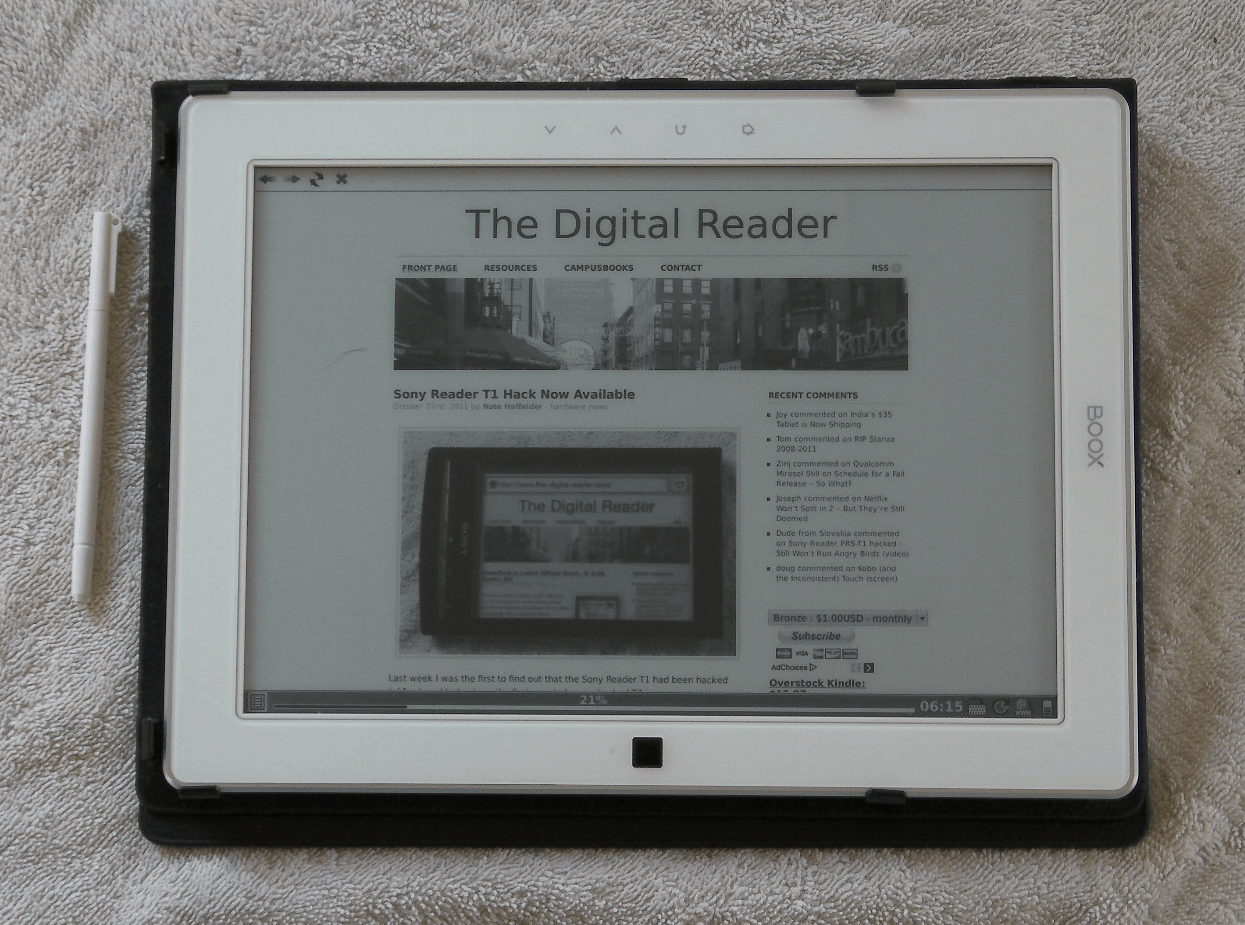
At long last, I have finally put my hands on the Onyx Boox M90. It was not worth the wait.
This is Onyx’s first large screen ebook reader, and it debuted at CES 2011. I’ve had this review unit for just under a week, and I’d strongly suggest that Onyx pull it from the market and try again.
Aside from the size of the screen, I really have not found that the M90 has any redeeming qualities. It’s slow, it has poor battery life, it’s using outdated touchscreen tech, and it’s lacking in any notable software features.
First, if you’re thinking that a week isn’t enough time to form a valid opinion, I disagree. I disliked the speed, lack of features, and touch screen tech within minutes of using the M90 for the first time. The only reason I didn’t write the post that day was because I wanted to make sure I wasn’t jumping to conclusions.
Before I give a good recommendation, an expensive ereader like the M90 has to show some redeeming feature that would make this a better purchase that an Android tablet (the Asus eee Transformer, for example). I cannot see any.
Hardware
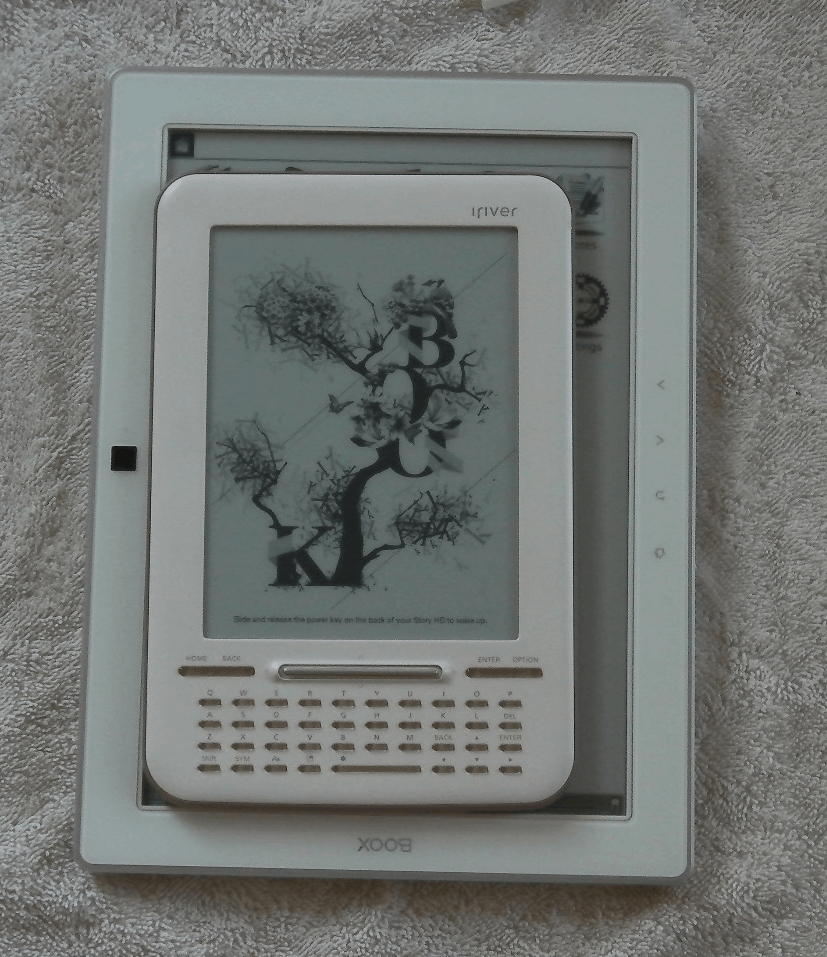 The M90 takes minimalism to an art form. It’s white with a strip of silver trim around the face. On the front it has 4 touch buttons on one side of the screen and an optical mouse on the other. There are no card slots or buttons on the side or top edges, and on the bottom edge you will find volume buttons, headphone jack, power button, USB port, and the SD card slot.
It uses a 9.7″ Pearl E-ink screen, and under the hood it has Wifi and a Wacom touchscreen. It’s running Linux on an 532MHz Freescale CPU.
The touchscreen is my first complaint. I know this may sound silly, but I’ve really come to appreciate the IR touchscreen found on the Nook Touch, Kobo Touch, and Kindle Touch. Those screens don’t require a stylus and they offer the same clarity as a Wacom touchscreen.
I cannot help but feel antipathy towards a 9.7″ screen that requires a stylus. That is something that was acceptable in past years because it was the best option available (if you wanted to use an E-ink screen). Now that there are better alternatives I do not see a reason to use Wacom anymore. I mean, would you really like to have to use a web browser if it required a stylus? I would have tolerated this last year but not now.
Battery
I’ve played with the M90 for a little bit each day, and much to my surprise the battery was dead this morning. I know that I charged it fully before using it, which means that it only took 5 days to drain it. That’s just not good enough.
Speed
I said in my earlier post that the M90 was slow. I’m sticking with that assertion. As part of writing this post, I set up and took the lead photo. Just waiting for some simple things like the onscreen keyboard, the browser, or the menu was incredibly frustrating. The lag on this is simply unbelievable and it is unacceptable in 2011.
And no, I’m not comparing the speed to an LCD tablet. I think the M90 is incredibly slow when compared to almost any of my E-ink based ebook readers.
Software Features
The M90 comes with software similar to that found on its smaller sibling, the A60. In addition to the reading app, it has a note taking app, scribble app, web browser, and one game (Sudoku). It also has the same impressive annotation options as the A60.
Unfortunately, it also has the exact same menu, software design, and over all feel as the older and smaller ereaders. That’s a problem because the older menu is designed for a 6″ screen. The larger screen on the M90 opens up a number of options that aren’t being exploited. The M90 doesn’t feel like any work was put into the software. In fact, I’ve found a bug or 2.
BTW, while I like to talk about the annotation features, they’re really nothing special anymore. Sony has released an equally feature rich ereader (T1) as well as on with as nearly as large of a screen (950). To be honest I think the PRS-950 is actually a better choice for several reasons (speed, touchscreen, cost and features).
Conclusion
If at this point you still plan to buy a M90, please ask someone to hit you over the head repeatedly. This is truly not the ereader for anyone. I believe that virtually any device currently on the market would be a better choice.
This is a $380 ereader that I believe is best suited to be the guest of honor at a target range.


Comments
cookie October 22, 2011 um 6:12 pm
"800MHz Freescale CPU."
Negative. M91s has 800mhz
Syn October 23, 2011 um 12:44 am
"It was not worth the wait."
Got to love that Nate pulls no punches. 😀
beachwanderer October 23, 2011 um 7:13 am
Thanks for the clear words there. Seems in line with things I read elsewhere about this thing.
"I cannot help but feel antipathy towards a 9.7? screen that requires a stylus. "
I don’t share your view there, Nate. People who consider buying (not reviewing ;o) ) a 9.7" display-EInkreader will mostly do so because they are in search of a reader to work with and not just to to some "plain reading". And that means annotations, side notes and scetches, for which using your fingertip plainly still doesn’t feel right. (This also seems to be why all these funny styli for the apple-pad are everywhere in the shops.)
The real selling point for a 9.+ " Reader for me seems to be a swift firmware that makes working with and annotating large documents (and that still means pdf, too) worthwhile.
Syn October 23, 2011 um 2:32 pm
I agree about the sylus. I simply have to have one.. especially on a screen that size. I’m waiting now for the slew of Windows 8 tablets to hit next year with Wacom which is kind of sad because I prefer to use my iPad and Mac, but in handwriting and annotations, combined with Wacom, and OneNote, Windows can’t be beat.
Hands On With the Onyx Boox M92 (video) – The Digital Reader November 24, 2011 um 4:28 pm
[…] But there’s also several major changes. The M92 has several hardware buttons and it’s using a much improved firmware. I want you to look at the menus, and also look at where the various pop up windows appear. I think it looks fairly well designed, and this is what I expected to see on the M90 when I reviewed it. […]
Mark December 13, 2011 um 5:10 am
Please someone, make a large-screen – ideally about 13″, so that magazines and standard size PDFs are readable without scrolling or zooming.
Then make it a bright, latest generation e-ink and well-implemented touch screen. With a decent library management system (folders).
You’ll own that market segment. And I’ll be super happy.
Peter November 24, 2012 um 2:36 am
Completely agree with Mark above. Once there is an ereader that can deal with pdf’s in A4 / US letter size without zooming, every post-grad student, lecturer and professor will own one within 18 months. There currently is no ereader out there that is sufficient for academic use, IMHO.
For any manufacturers out there, here is the spec:
The diagonal on A4 paper is approx 14″ – that should be the minimum screen size. It has got to have high quality e-paper (pearl or better). USB port for transfer, reading USB drives. Micro SD for extending storage. Enough grunt to handle images/diagrams, etc in pdfs. Ability to annotate & highlight pdfs, as sell as search content. Wifi and 3G of-course. Web-browser would be a plus, as would the ability to handle bluetooth keyboard input.
I’d happily fork out USD 1000 for this.
Astute readers will note that what I am basically asking for is a large tablet with an epaper screen. Tablets (ie ipads) or notebooks etc. doesn’t currently make the grade because a) eyestrain after several hours of continuous reading (yep, that is what academics do) and b) bad battery life – again (mostly) the result of lighting up the LCD screen.
Just my few cents.
Carlos October 22, 2014 um 10:41 am
Is 2014, still waiting for a decent 10″ ereader…